fnayou/dotfiles
Personal, cross-platform dotfiles for macOS, EndeavourOS / Arch Linux, and Debian (trixie / 13+), managed with GNU Stow and themed around Catppuccin Macchiato (blue accent).
This is the configuration that runs my own machines: shell, prompt, terminal, editor, and a handful of CLI tools, wired together so a fresh machine becomes familiar in a few deliberate steps.
What this is
A version-controlled collection of dotfiles organised as small, self-contained Stow packages. Each package manages one tool (zsh, git, alacritty, neovim, …) and can be installed on its own. Nothing is installed automatically — every change to your home directory is a manual, reviewed step.
Who it's for
- People who live in the terminal and want a documented, working reference setup.
- Anyone who wants to borrow ideas or specific configs without adopting a whole framework.
- macOS, Arch, and Debian users who want the same configuration to behave consistently across them.
Take only what you need
This is not an all-or-nothing install. You can read a single file, copy one alias, or stow one package. The repository is built so that using a part of it does not require using all of it.
Philosophy in five words
- Documented — every package has a README and a human setup guide; significant decisions are recorded.
- Modular — one Stow package per tool; install them independently.
- Reproducible — the repository is the source of truth; a new machine is set up from it deliberately.
- Terminal-focused — shell, prompt, and CLI ergonomics come first.
- Safe to explore — dry-run before anything touches
$HOME; no secrets committed; nothing runs on its own.
Feature overview
| Area | Tools |
|---|---|
| Shell | Layered Zsh config — path, history, plugins, tools, prompt, per-OS layers |
| Prompt | Oh My Posh, Catppuccin Macchiato palette |
| Terminal | Alacritty, Herdr multiplexer |
| Editor | Neovim (Lua, Catppuccin Macchiato) |
| Git | Portable config, aliases, global ignore — no secrets |
| CLI tools | bat, eza, btop, fzf, zoxide, Claude Code status line, and Codex CLI config |
See Features for the per-tool detail.
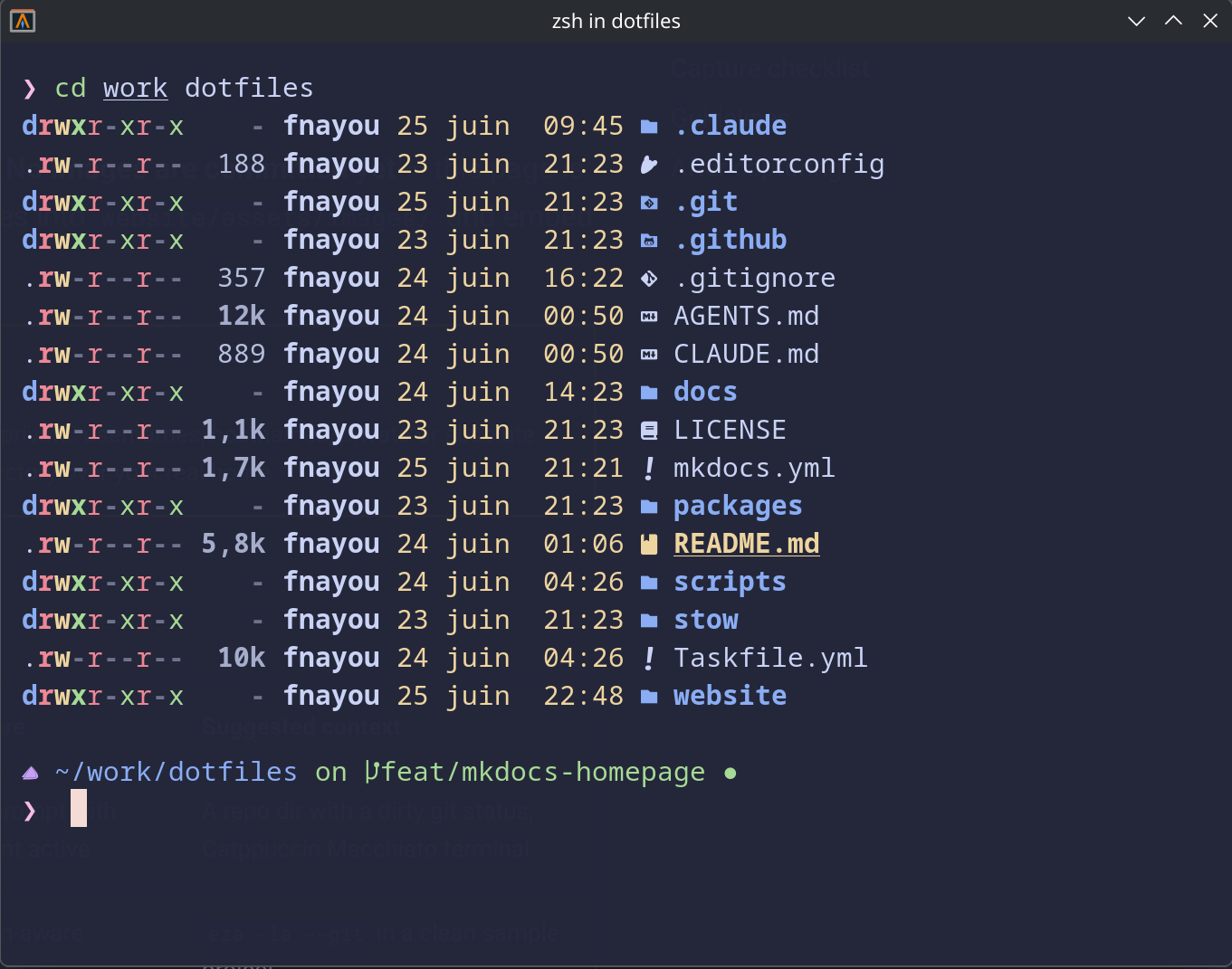 Shell prompt with Git context and Catppuccin Macchiato colors.
Where to go next
- Getting Started — how to approach the repository safely.
- Installation — dependencies, dry-run, and the Stow workflow.
- Philosophy — the principles behind the setup.
- Features — what each package configures.
- Usage — day-to-day workflow, aliases, functions, tasks.
- Reference — structure, Stow, dependencies, troubleshooting.