Shell (Zsh)
The stow/common/zsh/ package manages a layered Zsh configuration under ~/.config/zsh/. After
stowing, ~/.config/zsh/ is a real directory and each managed file inside it is a per-file
symlink into the repository.
This page is curated from the repository's docs/guides/zsh-setup.md.
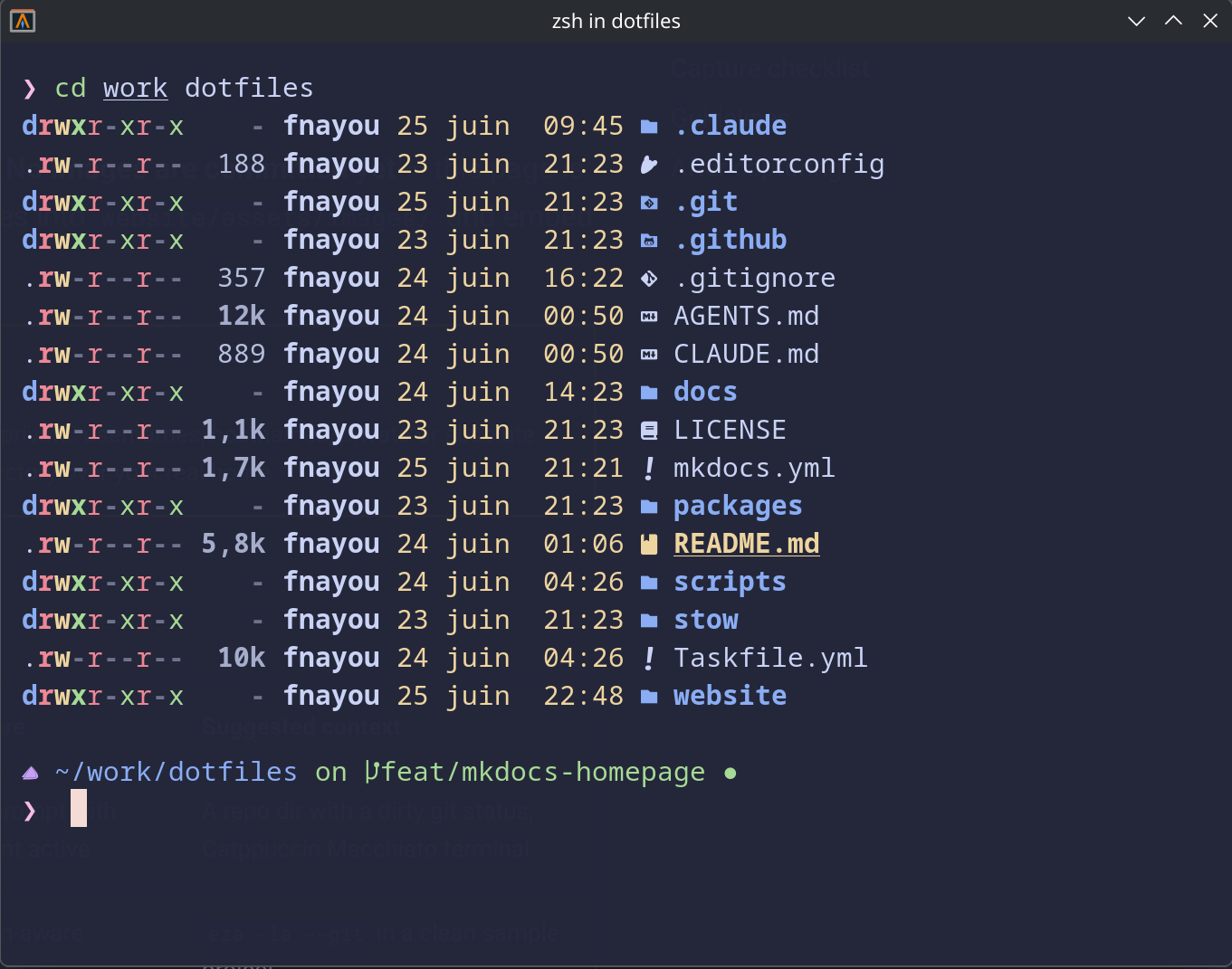 Shell prompt with Git context and Catppuccin Macchiato colors.
~/.zshrc stays yours
This package never stows, overwrites, or reads ~/.zshrc. After stowing, you add one guarded
include block to your own ~/.zshrc to source the managed config. Your existing shell startup
is preserved.
Layered structure
index.zsh is the entry point — it sources each layer in order. Layers separate concerns so a single
file owns a single job:
| Layer | Responsibility |
|---|---|
shared.zsh |
XDG vars + portable env (EDITOR, PAGER) |
path.zsh |
PATH additions ($HOME-relative, safe) |
history.zsh |
HISTFILE, HISTSIZE, SAVEHIST, history options |
plugins.zsh |
Zinit guarded source; owns plugin order + compinit |
fzf.zsh |
fzf shell integration (no-op without fzf) |
completions.zsh |
Completion styles + fzf-tab previews |
taskfile.zsh |
task <Tab> completion tuning (no-op without task) |
herdr.zsh |
herdr <Tab> session-name completion (no-op without herdr) |
speedtest.zsh |
speed / speed-json / speed-log / speed-history helpers (no-op without cloudflare-speed-cli) |
keybindings.zsh |
Key bindings |
aliases.zsh |
Portable aliases |
tools.zsh |
zoxide integration (guarded) |
prompt.zsh |
Oh My Posh (double-guarded; no-op if missing) |
macos.zsh / arch.zsh |
Per-OS layers, runtime-selected (macOS / Arch; no debian.zsh yet — Debian loads shared layers only) |
Private overrides go in local.zsh
local.zsh.example is a skeleton you copy from the repo to ~/.config/zsh/local.zsh for private,
machine-specific content. The .example is excluded from stow — it is not symlinked into
~/.config/zsh/. local.zsh is git-ignored and lives outside the repository working tree —
it is never committed.
PATH is the exception — it goes in ~/.zshrc, above the managed block
local.zsh is sourced last, which is what makes it override the managed layers. That also
puts it after every command -v <tool> guard and after compinit has read fpath. So PATH,
FPATH, and anything that produces them (brew shellenv) must be set in ~/.zshrc above the
managed block instead — otherwise the tool is invisible to its own layer and the completion only
starts working after exec zsh. See ADR-0062 and
Troubleshooting.
Prompt
The prompt comes from Oh My Posh via the separate stow/common/omp/ package (Catppuccin Macchiato
palette). The zsh package works without it: prompt.zsh is double-guarded and is a no-op when
oh-my-posh is not installed or omp.toml is missing. Stow omp separately if you want the prompt.
Aliases and tool integrations
Aliases live in aliases.zsh (portable) with tool-specific behaviour gated behind command -v:
ezaprovidesls/ll/tree-style aliases when installed.batadds suffix aliases (.md,.txt,.log) for file preview.zoxidepowers a smartercd.fzfdrives fuzzy completion and fzf-tab previews.cloudflare-speed-cligetsspeed/speed-json/speed-log/speed-historywrappers — see Functions.
Each integration disappears cleanly if its tool is absent.
Completions
Tab completion is layered on top of Zsh's compinit (run once in plugins.zsh). When the optional
plugins are installed via Zinit, the setup adds:
zsh-completions— extra completion definitions, loaded ontofpathbeforecompinit.fzf-tab— replaces the completion menu with an fzf picker.completions.zshadds previews: directory completions preview witheza, file completions withbat(falling back tols/catwhen those tools are absent).taskcompletion —taskfile.zshtunes the native_taskcompletion shipped by the go-task package, showing task descriptions and a read-only summary preview. No-op withouttask.herdrcompletion —herdr.zshauthors session-name completion forherdr <Tab>(Herdr ships no native completion), using the read-onlyherdr session list. No-op withoutherdr.
All guarded, all read-only
Each completion layer is gated behind command -v and is skipped when its tool is missing. The
task and herdr previews only read state — they never run a task or mutate a session. The
plugins themselves require Zinit and fzf; see Shell Dependencies.
Dependencies
Required before stowing: zsh, stow, git. Everything else is optional and guarded — see
Shell Dependencies for the full tier table and install commands,
and check your machine with:
task deps:check:zsh
Stowing the package
Dry-run first. This package requires --no-folding (and task dry-run does not pass it, so use
the direct command):
stow --dir=stow/common --target="$HOME" --no-folding --simulate zsh
Look for LINK: lines for each managed file, and no CONFLICT / WARNING lines. Then apply:
⚠️ MANUAL STEP — review dry-run output before running
stow --dir=stow/common --target="$HOME" --no-folding zsh
After stowing, add the include block to ~/.zshrc (see docs/guides/zsh-setup.md for the exact block)
and start a new shell.
Not claimed portable beyond macOS, Arch, and Debian
The layered config is tested on macOS (primary), EndeavourOS / Arch Linux, and Debian (trixie / 13+).
On Debian the shared layers load and dependencies/packages are first-class, but the per-OS layer
(macos.zsh / arch.zsh) has no debian.zsh equivalent yet. Elsewhere, read it as a reference and
adapt rather than expecting a drop-in install.