Packages
A handful of small CLI tools, each in its own Stow package, that make daily terminal work nicer. All share the Catppuccin Macchiato (blue) look. Install only the ones you want — every package is independent.
Curated from the bat, eza, btop, Claude, Codex, and OMP setup guides / READMEs.
bat — a better cat
stow/common/bat/ themes bat (syntax-highlighted file viewer) with
Catppuccin Macchiato. In daily use it's a readable pager for source and logs; the zsh package also
wires .md / .txt / .log suffix aliases to it.
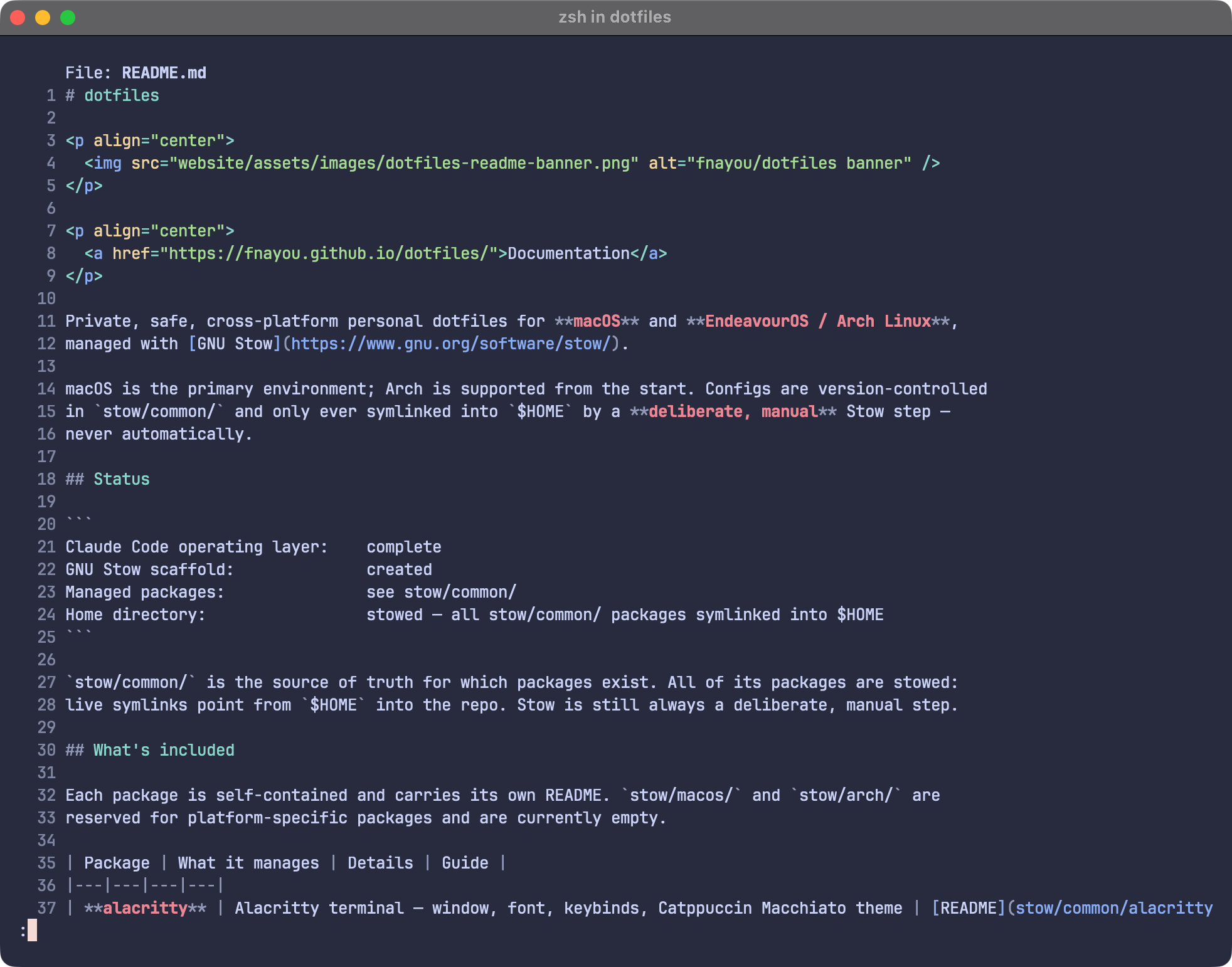 Syntax-highlighted file preview with bat.
One activation step
bat reads themes from a compiled cache. After stowing, build it once:
bat cache --build
bat --list-themes | grep "Catppuccin Macchiato"
eza — a better ls
stow/common/eza/ ships a Catppuccin Macchiato (Blue) theme for eza.
No cache step — the theme applies as soon as it's stowed. The ls / ll / la / lt aliases live
in the zsh package. Quick check after stowing:
eza -la --git
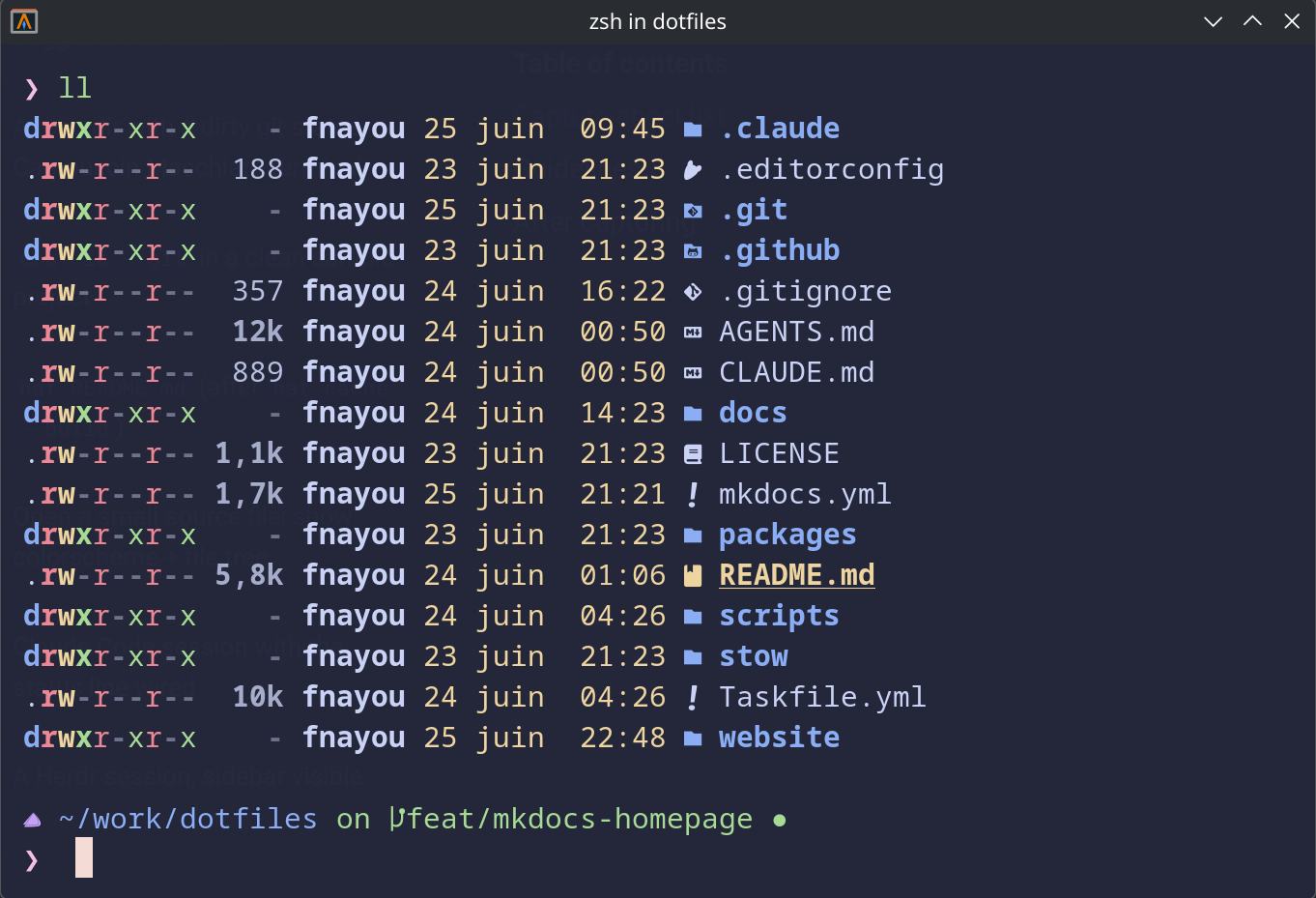 Icon-aware project listing powered by eza.
btop — resource monitor
stow/common/btop/ themes btop (interactive resource
monitor) with Catppuccin Macchiato. It manages btop.conf (active theme, terminal-transparent
background, truecolor, vim keys) plus the theme file. No cache step — like eza, the theme applies as
soon as it's stowed and btop is restarted.
stow --dir=stow/common --target="$HOME" --no-folding --simulate btop
Accent is already blue
The catppuccin/btop port ships one theme per flavor — there
is no separate accent selector. The Macchiato theme already uses Blue (#8aadf4) for
highlights, the selected process row, and the process-box outline.
Claude Code status line
stow/common/claude/ provides a status line script for Claude Code,
rendering OS icon · model · path · git branch+status · PR/MR · context % in the same palette
as the prompt. It needs jq, git, and a Nerd Font. The path collapses to its last 3 components
when deep, and the PR/MR segment shows the open request for the current branch — GitHub via
gh (# sigil) or GitLab via glab (! sigil), detected from the origin remote and cached in
the background. Set STATUSLINE_NERD_FONT=0 to swap the forge glyph for an ASCII PR/MR label.
 Claude Code status line integrated into the terminal workflow.
Two optional trailing segments light up only when their tool is present — each is guarded, so a missing tool renders nothing (no error, no placeholder):
- rtk savings — tokens saved + average savings % for the current directory
(exact cwd, not the whole repo), via the rtk
CLI (
rtk gain --project --format json). - caveman badge — the
[CAVEMAN]mode badge plus tokens saved for this session and for this repository, from the caveman Claude Code plugin. The estimate is caveman's own —statusline-caveman.jscalls the plugin's exported functions rather than reimplementing the algorithm — but the scoping is this repository's: caveman's own suffix file holds one machine-wide lifetime total across every project, which is the wrong number to show inside a project-scoped status line, so it is never rendered. The plugin is located by glob (its install path and cache hash vary per release), and its export contract is detected by capability, so a caveman major upgrade cannot silently zero the figure. Ifnodeis missing the segment falls back to caveman's own badge script with no number. The badge shows when caveman is installed and active (/caveman full). See the package README for the glob paths, the ledger layout, and the wiring.
~/.claude holds secrets — stow carefully
Only statusline-command.sh is managed; credentials and session data in ~/.claude are never
tracked. This package requires --no-folding, and on most machines the dry-run reports a conflict
(Claude Code already wrote a real script there) — resolve it manually, never with --adopt. See
the repository's docs/guides/claude-setup.md for the wiring step in ~/.claude/settings.json.
Codex CLI
stow/common/codex/ manages portable Codex CLI preferences:
model defaults, hooks enablement, built-in status line item order, and a repo-owned Catppuccin
Macchiato blue TextMate syntax theme.
The managed config sets:
[tui]
theme = "catppuccin-macchiato-blue"
The theme file is stowed to ~/.codex/themes/catppuccin-macchiato-blue.tmTheme. Codex theming is
syntax highlighting, not terminal ANSI colors; Alacritty owns terminal colors and Herdr owns its UI
token mapping. Use --no-folding so ~/.codex remains a real directory for auth and runtime state.
Auth, transcripts, project trust entries, caches, plugins, and databases are never committed.
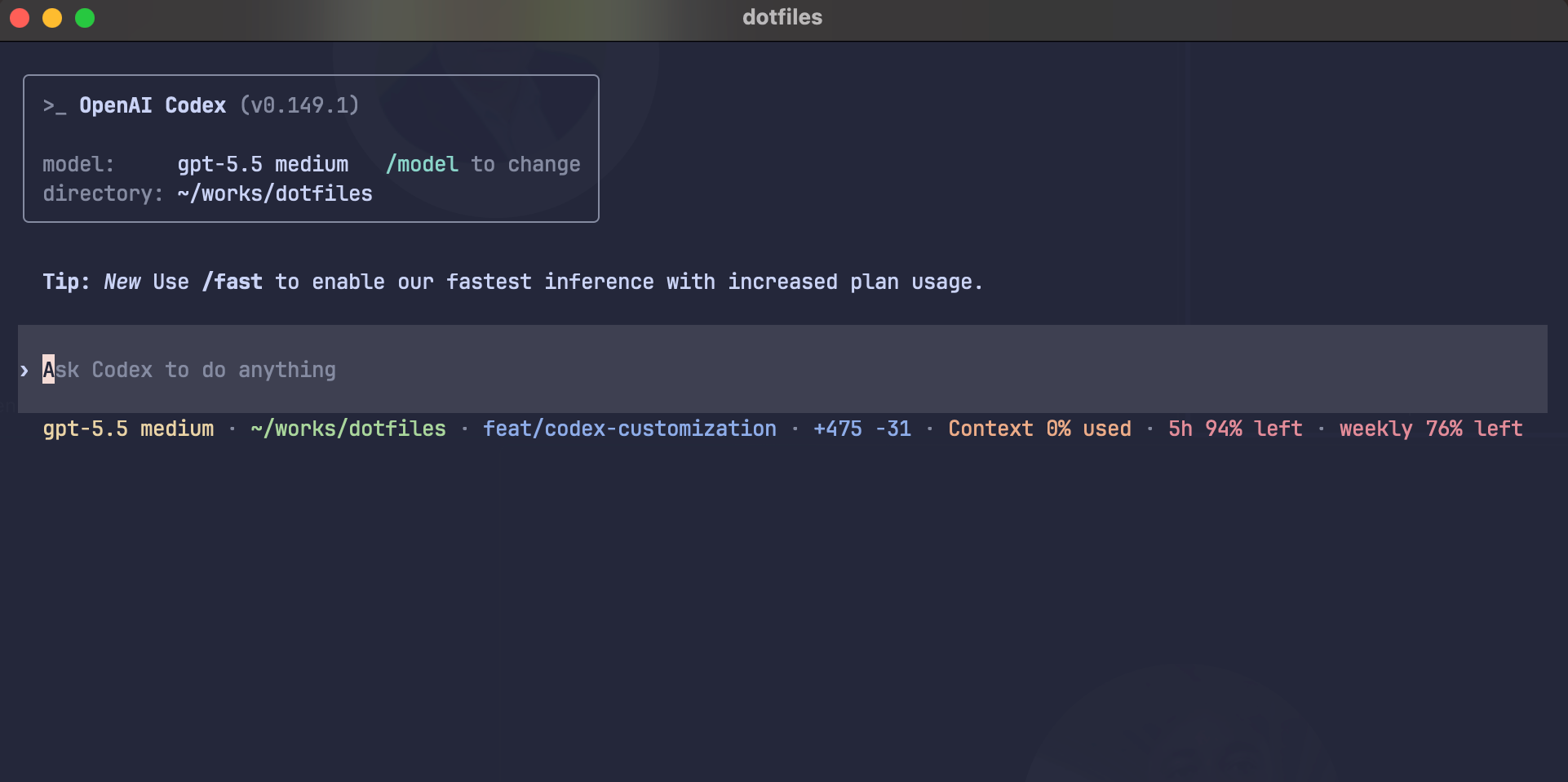 Codex with the repo-owned Macchiato blue theme and built-in status line segments.
 rtk and caveman
savings are intentionally deferred until Codex supports a documented custom status-line interface.
Oh My Posh prompt
stow/common/omp/ holds the Oh My Posh theme (omp.toml) — prompt segments
(path, git, status) in the Catppuccin Macchiato palette. The zsh package initialises it; omp is the
theme source of truth that the Claude status line mirrors. Stow it with the standard workflow:
stow --dir=stow/common --target="$HOME" --simulate omp
Related
- Shell (Zsh) — aliases and prompt integration.
- GNU Stow Workflow · Installation